
Easily convert your handwritten notes to text in imagetotext.net.in. Fast, simple, and perfect for saving and sharing your notes.
Suppose you wrote a long story in your notebook. You want to tell your friends about that story online now. But you know typing in all the words on the computer is so painful and time consuming. Would it not be nice that you can turn your page into text on the computer?
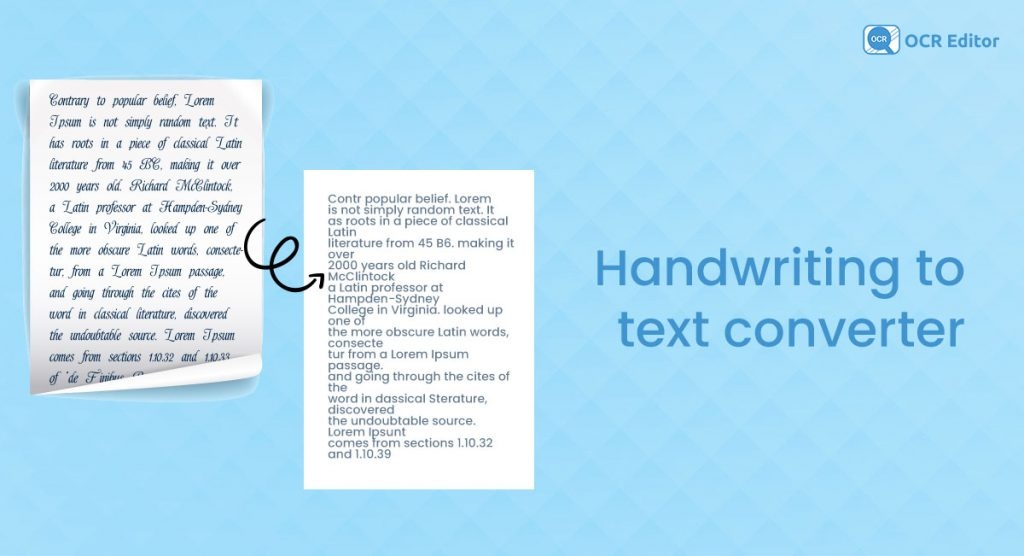
That’s exactly what a handwritten images to text does! It takes your handwritten notes (from paper, a whiteboard or your homework) and changes them into digital text you can copy, edit, and share.
What Does “Handwritten Notes to text” Mean?
Writing (handwritten) refers to the words you are writing with your own writing tool, a pen, pencil, or even a marker.
Image is simply a picture of that writing as you take a picture with your cell phone.
Text refers to the clean letters that you read on your computer or mobile, the type of text that you can copy paste and even edit.
So, handwritten image to text simply translates to transforming a picture of you writing into actual digital words that survive on your device!
How to Convert Handwritten Notes to Text
Here’s a simple step-by-step guide:
1. Take a clear photo: Use your phone camera. Make sure the light is good.
2. Use Official tool : A simple and safe choice is imagetotext.net.in, where you can easily turn your handwriting photos into digital text
3. Upload the image: Select your handwritten picture.
4. Wait a few seconds: The tool scans your writing.
5. Copy your text: Now you can paste it anywhere Word, WhatsApp, or even your blog.
You can also convert that text into different languages in imagetotext.net.in.
Why Is It Useful?
Because the handwritten image to text uses less time and effort! You no longer need to retype everything and clean up a text. You just take a photo of your notes and you have clean text immediately. It allows you to paste, share and save your writing on your phone or computer. Super quick and super smart!
Handwritten Notes to Text in Real Life
Teachers: Share test papers digitally.
Parents: Save old recipes written by grandma.
Homework helper: You can take a picture of your math answers and turn them into text for your online assignment.
Story sharing: Wrote a fun poem? Convert it and send it to your best friend by email.
Drawing with words: Doodled your name in fancy writing? Convert it and use it as a username.
Challenges You Might Face
Messy handwriting: If the letters are not clear, OCR gets confused. (So, write neatly!)
Shadows in photos: A dark photo makes recognition harder.
Different styles: Fancy cursive writing may not be easy to detect.
Tip: Use clear handwriting and good light for the best results.
Future of Handwritten Notes to Text Online
Computers will become even smarter to read handwriting images in the future. They may even notice your style of writing. Whether you write in sweeping bubbly letters or in tiny stinging ones. You can one day simply write with your hand on some paper and your computer will automatically type it in real time.
Final Words
Now you are ready to know about the secret of writing pictures to text! It is like replicating your notebook pages on your computer. This simple trick will save you time and make your life easier whether you are a student, a parent or you are a kid playing around. The next time you are too lazy to type, simply remember–you can snap, convert, and share. Easy-peasy!
FAQs about Handwritten Image to Text
Q1.What is a handwritten image to text?
It is when a photograph of your handwriting becomes computer text that can be copied, pasted, or edited.
Q2. Does it support dirty handwriting?
Sometimes yes, but mostly no. The cleaner you write the more the computer reads.
Q3. Are there any free handwritten image texts?
Yes! Many tools are free, and imagetotext.net.in lets you easily convert handwriting to text without any cost..
Q4. Can it work with any language?
Yes! There are some tools that comprehend English, Urdu, Hindi, Arabic, and a lot more.
Q5. Do children know how to use handwritten text tools?
Of course! They are easy- all you need to do is click a picture and the tool will do everything.
Q6. Is it 100% correct?
Yes, mostly! If your handwriting is clear and the photo is good, it works well. You may just need to fix a word or two.
Q7. Why is it useful for students?
Since students do not need to type their notes in classes, homework, or stories again, they are able to convert them into a digital format in a short period of time.


